

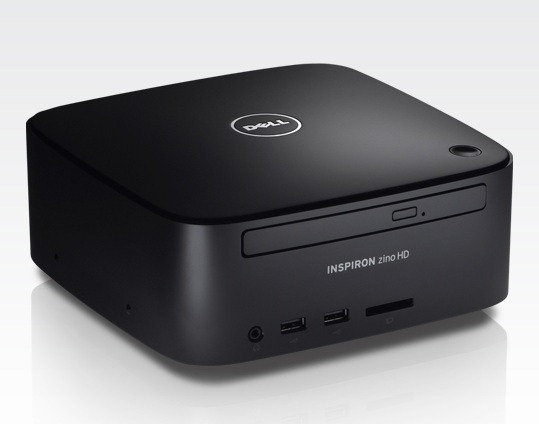
The Dell Inspiron Zino HD is the perfect machine if you are looking to build an Ubuntu Linux based HTPC. At the time of this post the Zino can be purchased with either Windows 7 or Ubuntu linux 9.04. I decided to go with Windows 7 and install Ubuntu 9.10 64-bit karmic on my own in a dual boot configuration. This article will cover all the steps necessary to get Ubuntu up and running.
The easiest way to setup a dual boot configuration is to reinstall Windows 7 first with the included OS DVD and then Ubuntu second. When installing Windows 7 make sure to leave space for your Ubuntu installation. Repartition the drive so that Windows 7 only uses a small chuck and leave the rest of the space unallocated. The good thing about reinstalling Windows is that it gets rid of all the extra 3rd party junk that comes preinstalled.
You can install Ubuntu through the HDMI but on some TVs the HDMI port may display incorrectly until the ATI drivers are correctly installed. If this occurs to you switch over the the VGA port until you have completed the installation.
The only other pitfall of this installation is that the default Ubuntu installation doesn’t recognize the wireless card (in my build it was the Broadcom wireless b/g card). All this means is that you need to have the wired ethernet connection until you update the system and download the appropriate wireless driver.
Once you have completed the initial installation and made sure you have a working network connection you should update your system.
$ sudo apt-get update && sudo apt-get -y upgrade
Next you need to find and install your hardware drivers. Go here:
System -> Administration -> Hardware Drivers
It should find the Broadcom STA wireless driver for your wireless, and the FGLRX ATI/AMD driver for your video card. Download and activate both of them. You should now be able to connect with wireless and use the HDMI port if you experienced display issues with it during the installation.
If your display resolution if incorrect. Go here:
System -> Administration -> Display
Configure your sound to work over HDMI. Go here:
System -> Administration -> Sound
In the Output tab select HDMI. You can go to the Sound Effects tab and select a sound to test that it works.
You should now a fully functional system up and running with Ubuntu, but you may want to install some packages that will make your make your life easier. Here are my suggestions:
ubuntu-restricted-formats
ssh
nfs-common
sshfs
vim
mythtv
boxee
xbmc
Enjoy your new Zino HTPC!